
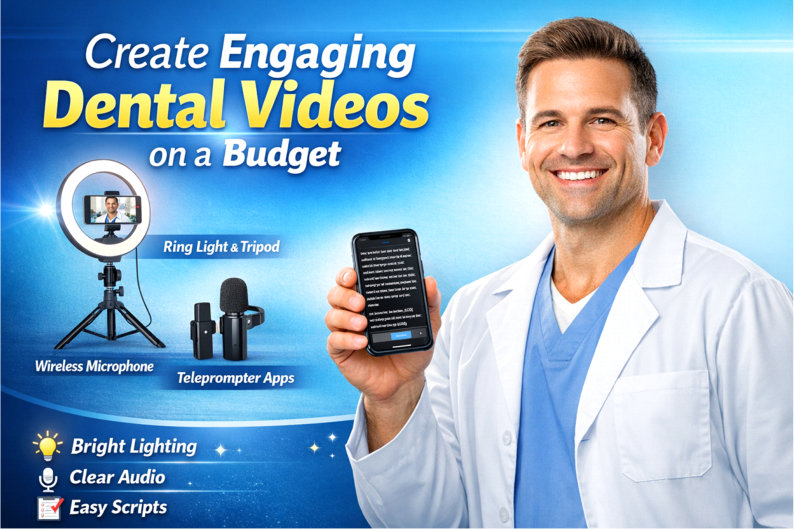
Want to start making video content for your dental practice without blowing your budget?
Great news — you can produce professional-looking videos with just a few simple tools and a teleprompter app on your phone. You don’t need a studio, a production crew, or expensive equipment.
Here’s the straightforward gear setup we recommend for dentists who want quality without complexity. 🎬✨
Video builds trust, educates patients, and helps potential new patients feel comfortable choosing your practice before they ever walk through your doors. And the barrier to entry has never been lower.
Let’s break it down.
💡 Lighting — Soft, Even, and Professional
Good lighting instantly improves the look of your videos by reducing shadows and brightening your face — perfect for patient education, team introductions, and social media posts.
Weilisi 10″ RGB Selfie Ring Light with Tripod – ~$25
Classic selfie ring light with tripod and phone holder. Great all-around lighting to brighten your shots and give you a polished, professional look.
Amazon link:
https://www.amazon.com/dp/B08JPCSDMP
Weilisi 10.5″ Ring Light with 69″ Tripod Stand – ~$36
Slightly larger version with extended tripod height for more flexibility. Bright, soft light works well for talking-head videos and seated educational clips.
Amazon search link:
https://www.amazon.com/s?k=weilisi+10.5+ring+light
Approximate price range for ring lights: $25–$40
This one piece of equipment alone dramatically upgrades how professional your videos look.
🎙️ Audio — Clear Sound That Commands Attention
Clear audio is way more important than perfect visuals.
Viewers will tolerate average lighting.
They will not stick around for muffled or echo-filled sound.
A small wireless lavalier microphone is one of the best investments you can make.
Hollyland LARK M2 DUO Wireless Microphone System – ~$76–$99
Excellent wireless lav mic system with noise cancellation and long battery life — ideal for iPhone and Android with a simple adapter. Crystal-clear audio for dental tips, Q&A, and educational content.
Amazon link:
https://www.amazon.com/dp/B0CP7PWL5D
Hollyland Lark A1 Mini Duo Wireless Microphone – ~$34–$60
More affordable Hollyland option with good performance — a great choice if you want solid audio without the higher price tag.
Amazon search link:
https://www.amazon.com/s?k=hollyland+lark+a1
Samson XPD2 Lavalier USB Digital Wireless System – ~$40
USB wireless lav mic with simple plug-and-play setup — solid budget choice for simple solo videos recorded on a laptop.
Amazon search link:
https://www.amazon.com/s?k=samson+xpd2
PQRQP 3-in-1 Mini Wireless Microphone – ~$60
Universal mini wireless mic that works with iPhone, Android, and camera setups — easy to use and clear enough for instructional clips.
Amazon link:
https://www.amazon.com/dp/B0CY7P3WVK
Approximate price range for lavalier wireless audio: $35–$100
Even the most affordable of these will sound dramatically better than your phone’s built-in microphone.
📜 Teleprompter Apps — No Extra Hardware Needed
Skip the physical teleprompter entirely.
Your phone or tablet can do the job with a teleprompter app, allowing you to read your talking points while maintaining eye contact with the camera.
This makes your videos feel confident, natural, and professional — without memorizing scripts.
Recommended apps:
Teleprompter.com — Clean UI, adjustable speed, script storage
https://www.teleprompter.com
PromptSmart — Voice-tracking scroll that follows your speaking pace
https://promptsmart.com
Teleprompter for Video — Built to work alongside your camera app (Android)
These apps are perfect for explaining procedures, insurance tips, FAQs, and patient education — all with minimal retakes.
Most offer free versions or inexpensive upgrades.
🎥 Quick Setup Strategy
Focus on what matters most for effective video:
Get your audio right first
Clear voice = professional credibility.
Add good lighting
Soft, even light keeps attention longer and makes you look polished.
Use a teleprompter app
Ensures smooth delivery with minimal stress and fewer retakes.
That’s it.
Simple. Practical. No tech overwhelm.
💰 Approximate Cost Summary
Lighting: $25–$40
Audio: $35–$100+
Teleprompter Apps: Usually free or under $30/year, depending on features
Most practices can build a complete starter setup for under $100–$150 total.
Final Thoughts
Video doesn’t have to be scary or expensive.
With a ring light, a small wireless microphone, and a teleprompter app on your phone, you can start creating consistent, engaging video content that strengthens your brand and attracts more patients — all without tech headaches.
At Amplified Dental, we specialize in helping dental practices grow through smart marketing strategies — including video content that actually converts. We highly recommend video as part of your overall marketing approach because it’s one of the fastest ways to build trust, improve visibility, and connect with patients before they ever book.
Ready to attract more of your ideal patients with smarter marketing?
If you’d like personalized guidance, I invite you to schedule a complimentary Marketing Strategy Call + Free Marketing Analysis. We’ll review what you’re currently doing, identify opportunities for growth, and map out simple next steps to help your practice stand out.
👉 Schedule your Marketing Strategy Call here:
For more information and dental marketing resources, visit AmplifiedDental.com.